Here's what actually happens after you sign up.
No stock photos, no mockups made up for a landing page — these are the real screens in your dashboard, walking through a day with EverAnswer answering for a busy service business.
Build your AI receptionist
Tell us about your business and we'll train your agent in under 60 seconds.
We'll scan your website to create tailored responses
Pulls in your hours, address, and photos automatically
Call Logs
214 total calls
Appointments
12 upcoming
Dana Ruiz
Water heater install · 10:00 AM – 12:00 PM
Marcus Webb
Drain cleaning · 2:00 PM
Priya Shah
Leak inspection · 9:30 AM
Signing up · Step 1 of 3
It starts with your business, not a blank form.
Search for your business on Google and we pull in your hours, address, and photos automatically. Add your website too, and we'll read it for details to train your agent on — no long onboarding form to fill out by hand.

Build your AI receptionist
Tell us about your business and we'll train your agent in under 60 seconds.
We'll scan your website to create tailored responses
Pulls in your hours, address, and photos automatically
Signing up · Step 2 of 3
You watch it read your business in real time.
No spinner with no explanation — you see exactly what it's doing: finding your business, reading your Google profile, scanning your website. It's building something specific to you, and the progress screen says so.
Building your EverAnswer Agent
Sit tight — reading up on your business
"Learning how to handle your calls..."
Signing up · Step 3 of 3
One real question: what do you actually want it to do?
Just catch the message, handle the basics, or fully book the job — you pick how much your AI takes on before it ever answers a call. That's the only decision that shapes the agent; everything else it already learned from your business.
Almost done! 🎉
Just two quick taps to make this perfect.
While you were on a job
Every call gets answered, summarized, and logged — automatically.
Your AI receptionist picks up in three rings, has a real conversation, and the moment it hangs up, you've got a transcript, an AI summary, and a one-tap way to send a review request — all sitting in Call Logs, ready when you have a minute to check your phone.
Call Logs
214 total calls
At a glance
One page tells you how the week's actually going.
Total calls, what came in today, urgent flags that need a callback — your Overview page is the first thing you'll check in the morning, and it's built to answer 'did I miss anything?' in about five seconds.
Overview
Welcome back — here's what's happening.
Recent Activity
View all →Dana Ruiz
Asked about Saturday availability for a water heater install
(512) 555-0148
Pipe burst under kitchen sink, needs same-day service
Marcus Webb
Confirmed appointment for Thursday 2pm
No back-and-forth
If the call was about booking, it's already on your calendar.
Your AI checks what you've told it about your availability and books the job right there on the call — no 'let me check and call you back.' It shows up in Appointments with the customer's info, the service they need, and a confirmed or pending status.
Appointments
12 upcoming
Dana Ruiz
Water heater install · 10:00 AM – 12:00 PM
Marcus Webb
Drain cleaning · 2:00 PM
Priya Shah
Leak inspection · 9:30 AM
Working in the background
Good calls turn into reviews. Cold leads get a second chance.
Turn on Review Requests and a happy caller gets a text with your Google review link automatically. Turn on Reactivation Sequences and old leads who went quiet get followed up with on a schedule you set once. Both run from Automations, with no extra work from you after setup.
Automations
Set it up once — it runs itself.
Review Requests
Texts a Google review link after every good call
Reactivation Sequences
Follows up with cold leads automatically
Do Not Text List
Keeps opted-out numbers off every automation
Automations Bundle
Review Requests + Reactivation Sequences, together.
$19/mo
$28/mo separately
Everything below is a different dashboard — for a different plan.
Text-Back doesn't answer the call live — it sends an instant text the moment you miss one, then lets your AI carry the conversation from there. The next two screens, Conversations and Voicemails, only exist on this plan. If you're on full AI Receptionist, you won't see them in your dashboard at all.
The missed call becomes a text thread you can jump into anytime.
Your AI replies instantly, has the full conversation over SMS, and every thread is saved with a status so you know what's still open. Call the customer back with one tap right from the thread whenever you're ready to take over.
(214) 555-0192
2m ago
Leo Grant
41m ago
(469) 555-0171
Yesterday
(214) 555-0192
Some callers would rather just leave a message — that works too.
If you've turned on optional voicemail, callers can leave one instead of texting. You get the recording, an AI transcript, and a one-line summary, all before you've even listened to it. This screen only exists for Text-Back plans — full AI Receptionist calls are answered live, so there's never a voicemail to check.
Voicemails
Messages callers left after your greeting. You also get each one by email.
(512) 555-0148
Today, 9:14 AM · 38s
Wants a quote on gutter cleaning before winter
Hey, this is Carol, I was calling about getting my gutters cleaned before it gets cold. Give me a call back when you can, thanks!
(737) 555-0117
Yesterday, 4:22 PM · 21s
Confirming tomorrow’s appointment time
Hi, just double-checking — is my appointment still at 2pm tomorrow? Let me know if that changed.
The last step, whichever plan you're on
Forwarding your number takes one scan, not a support ticket.
Scan the QR code with your phone's camera, tap the notification, hit call — that's it. No app to install, no waiting on hold with your carrier. We show you the manual dial code too, and a one-tap way to confirm it actually worked before you move on.
Phone Setup
Forward your calls to activate EverAnswer
Your EverAnswer Number
Step 1 — What do you want EverAnswer to do?
Choose the option that fits how you run your business
EverAnswer steps in when you're busy, don't answer, or are unreachable — you always get first shot
Every call goes straight to EverAnswer — your phone never rings
Activate call forwarding
Choose how to set it up — takes under 30 seconds
Scan QR Code
Point your phone camera
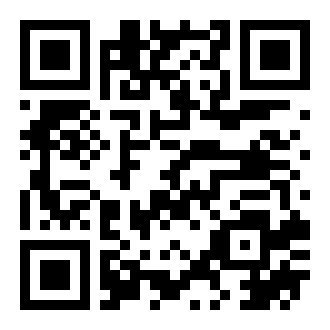
Works on iPhone & Android
1. Open your Camera app
2. Point at the code above
3. Tap the notification
4. Hit the green Call button ✓
Text Me
Send to my phone
We'll text you the exact code with step-by-step instructions. Android users get a one-tap dial link too.
iPhone users: the QR code works better — iOS may block the tap-to-dial link in texts.
**61*+17165550199**15#CopyOpen your Phone app → Keypad → type or paste this → hit the green Call button
To turn off forwarding: dial ##61# from your phone any time
Done? Let's make sure it worked.
Call your business number from a different phone. If EverAnswer picks up — you're all set!
This is what you get, starting day one.
No setup fees, no contracts. Start your free trial and your dashboard looks like this within minutes.